
On this part we are going to create a component called UWindQueryComponent, this component will use it’s position to read a point inside the render target and use it inside CPU logic.
The problem here is that the method to read from a render target provided by Epic Games seems to be very innefficient as noted on their documentation.
After some research, I discovered a GitHub project by nicholas477, which implements blueprint nodes to read from a render target asynchronously. I used this project as a reference to implement a similar system for my setup.
I decided to use that project as a good example to implement it on my own system. The project has 2 bluerpint nodes, one that reads a pixes and one that reads the whole render target. What I needed was to read X pixels being X the number of query components.
The project includes two blueprint nodes: one that reads a single pixel and another that reads the entire render target. For my system, I needed to read X pixels, where X corresponds to the number of query components.
My implementation completes the read operation over three frames:
- Frame 1: Enqueue a render command that creates a temporary texture on the render thread with dimensions X × 1, where X is the number of query components. The texture is filled with the corresponding render target data. For example, with 48 query components, the texture is 48×1.
- Frame 2: Enqueue another render command to copy the filled texture into a game thread memory buffer.
- Frame 3: Read from the game thread buffer and dispatch the pixel information to all query components.
I created a URTReader class that manages all this process. As the read proces takes 3 frames, I created 3 instances of this object inside my UWorldInteractionSubsystem and I use them sequentially looped on every tick. The RTReader is very simple:
UCLASS()
class URTReader : public UObject
{
	GENERATED_BODY()

public:

	URTReader();

	// Sets default values for this actor's properties
	void Init(class UWorldInteractionSubsystem* WorldInteractionSubsystem);

	//This method setups the read operation for the next frame
	void SetupPixelRead(TArray<TWeakObjectPtr<class UWindQueryComponent> > ComponmentsArray, bool FlushRHI = false);

	//Shared pointer that stores the read querys and will store the read results
	TSharedPtr<FAsyncReadArrayData, ESPMode::ThreadSafe> ReadRTData;

	UFUNCTION()
	void OnNextFrame();

protected:

	bool bFlushRHI;
	uint64 StartFrame;

	//Weak ptr to the world interaction subsystem
	TWeakObjectPtr<class UWorldInteractionSubsystem> WI;

};
To use the URTReader, I call SetupPixelRead and provide it with all registered UWindQueryComponents.
This function populates a structure of type FAsyncReadArrayData, which stores the information shared across the asynchronous read operations:
struct FAsyncReadArrayData
{
	//GPU Fence to check when the operation is finished
	FGPUFenceRHIRef TextureFence;
	//Texture we are going to read
	FTextureRHIRef Texture;
	//Array of the data to read
	TArray<FReadRTData> ReadDataArray;
	//Atomic that checks if the read operation is finished
	TAtomic<bool> FinishedRead;

	void ClearRenderRTDataArray()
	{
		ReadDataArray.Empty();
	}

};
The FAsyncReadArrayData struct also contains an array of FReadRTData, which holds information specific to each query, including:
- A pointer to the component.
- The world position used for the read.
- The pixel color retrieved from the render target.
//Struct used to read RT data
struct FReadRTData
{
	FReadRTData(class UWindQueryComponent* Component, FIntVector PixelCoordinate);

	//Thread safe pointer to the query component
	TWeakObjectPtr<class UWindQueryComponent> ComponentRef;

	//The world position in world space
	FIntVector PixelCoord;

	//The read pixel color
	FLinearColor PixelColor;
};
The current implementation works as intended; however, as I am not a multithreading expert, I am still refining it to improve performance and reliability. (Wait for part 5).
Afterward, I use the UWorldInteractionSubsystem tick to send the current list of QueryComponents to the RTReaders every frame:
void UWorldInteractionSubsystem::ReadQueryRTPixels()
{

	uint64 QueryIndex = GFrameCounter % 3;

	if (ActiveQuerySources.Num() > 0)
	{
		QueryHandlers[QueryIndex]->SetupPixelRead(ActiveQuerySources);
	}
}
The RTReader automatically notifies each QueryComponent of the read pixel color once the operation is complete. Each component stores the color and also broadcasts it using a dynamic delegate.
At this stage, we can test the system with a simple actor that displays the read value in a text component:
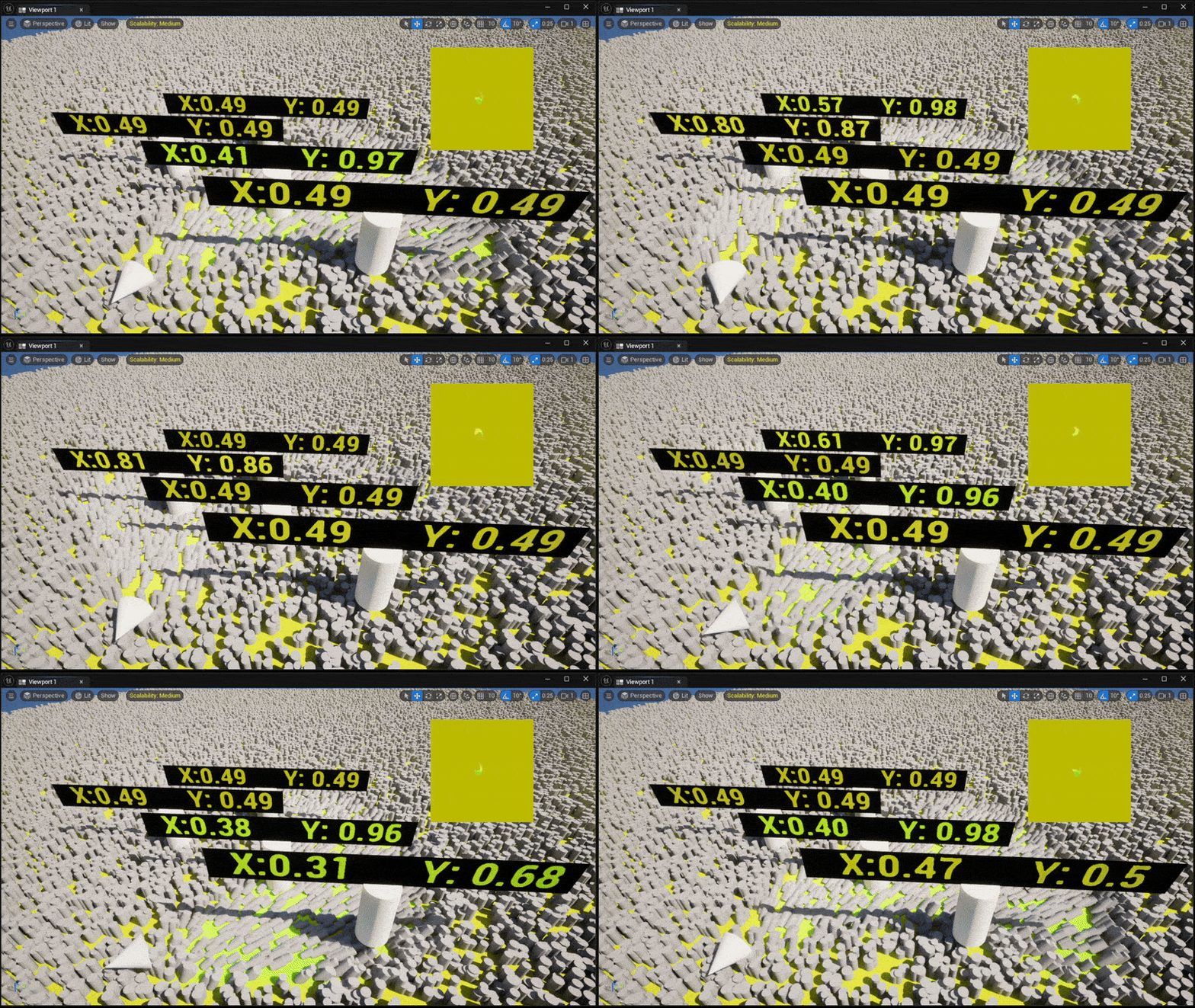
As observed, the value read from the render target is still packed, so it needs to be unpacked before use.
This component can now be utilized for gameplay logic or to apply forces to dressing meshes, enabling interactive and dynamic environmental effects:
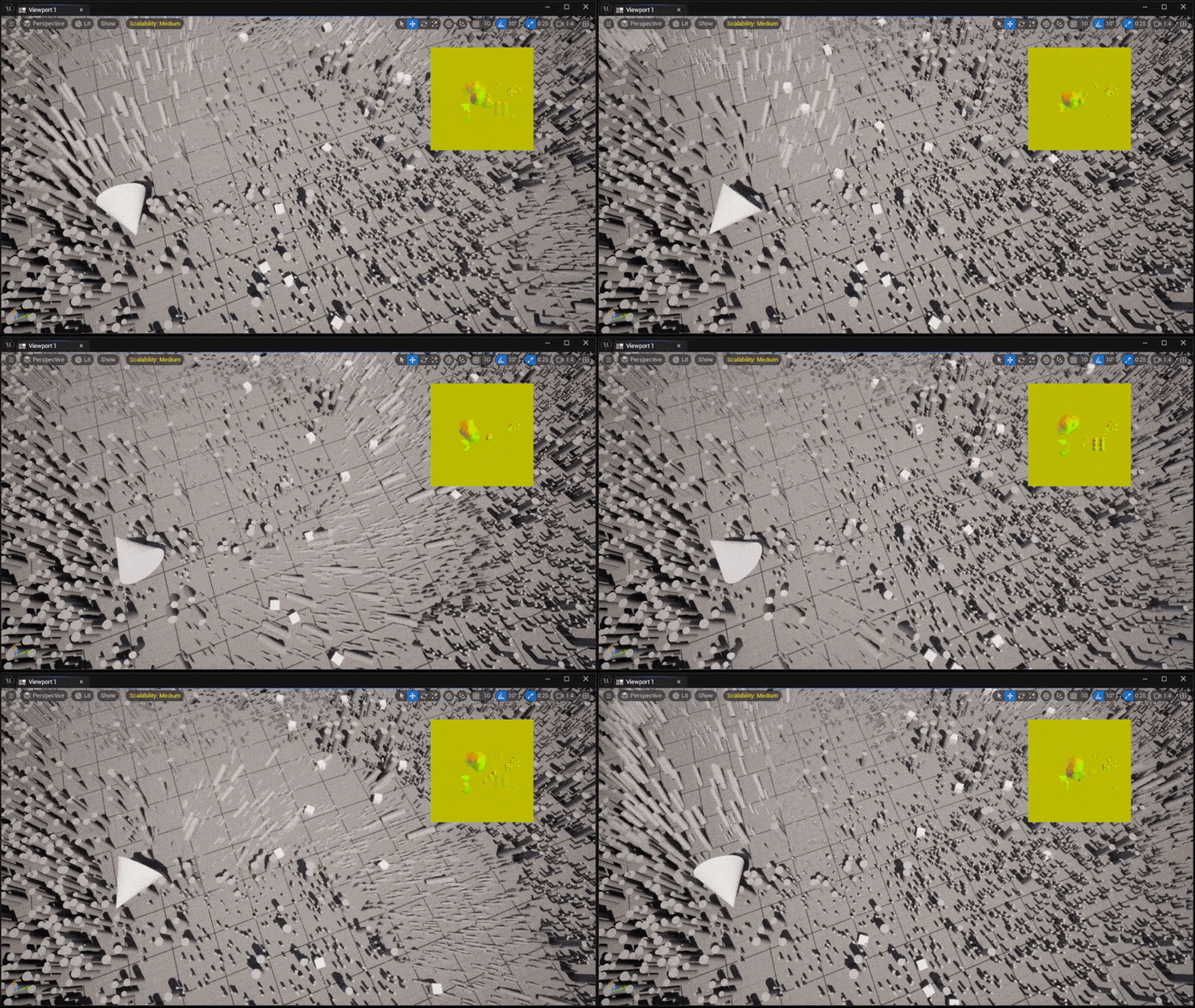
This concludes the current part.
In the next section, I will discuss some challenges encountered during development, explain how I resolved them, and provide a GitHub link to the complete project.
Deja un comentario